Bulk edit submittals and RFIs without opening every record.
Sandspit gives PMs and PEs a spreadsheet-style grid for high-volume Procore updates. Filter the work, edit one cell or many rows, stage every change for review, and save approved updates back to Procore.
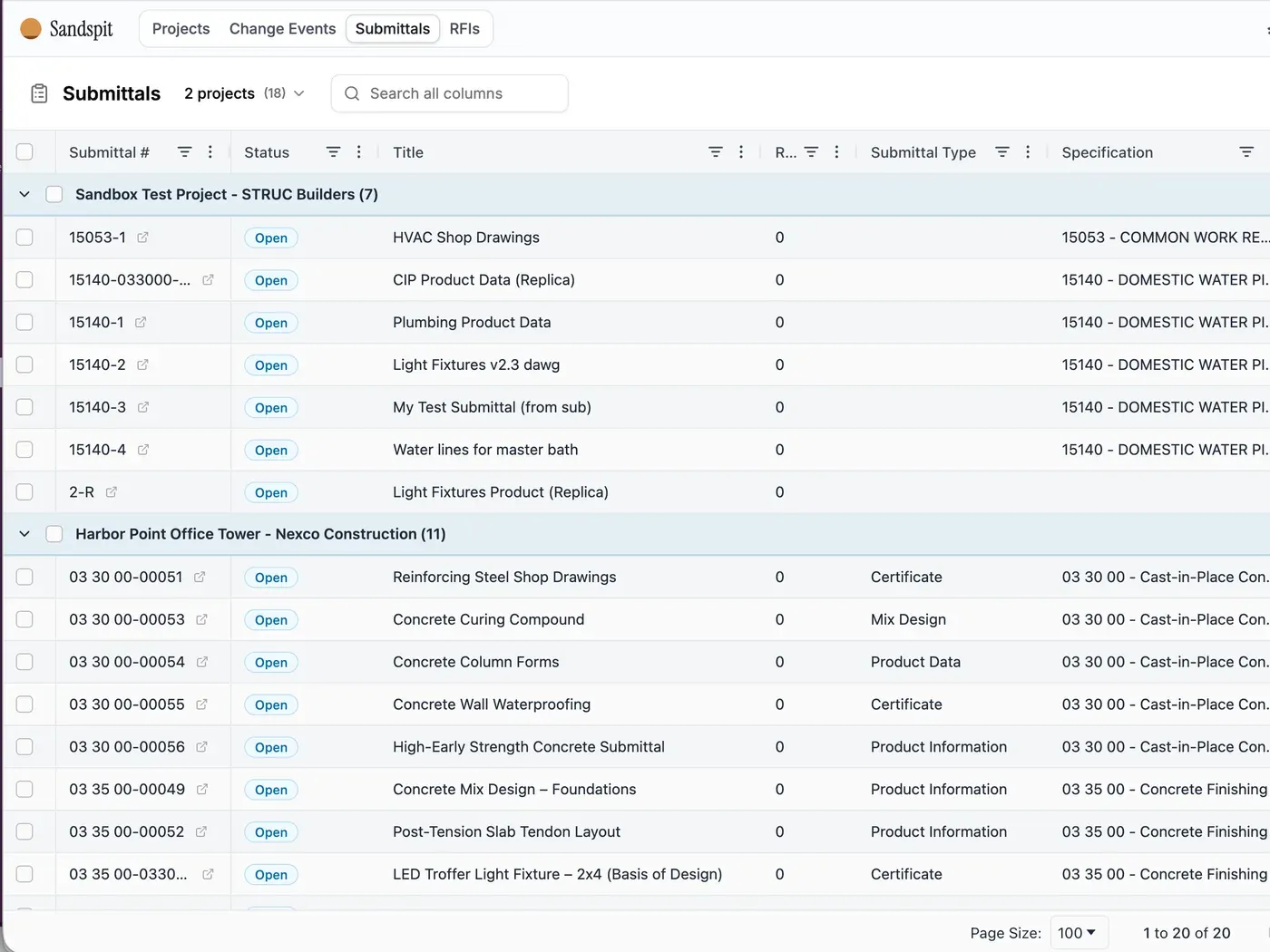
Bulk edit the submittal and RFI fields your team maintains most often
Update custom fields, dates, people, vendors, statuses, and project-specific values in batches
Stage fill-handle and inline edits for review before saving back to Procore
Update the fields project teams actually maintain.
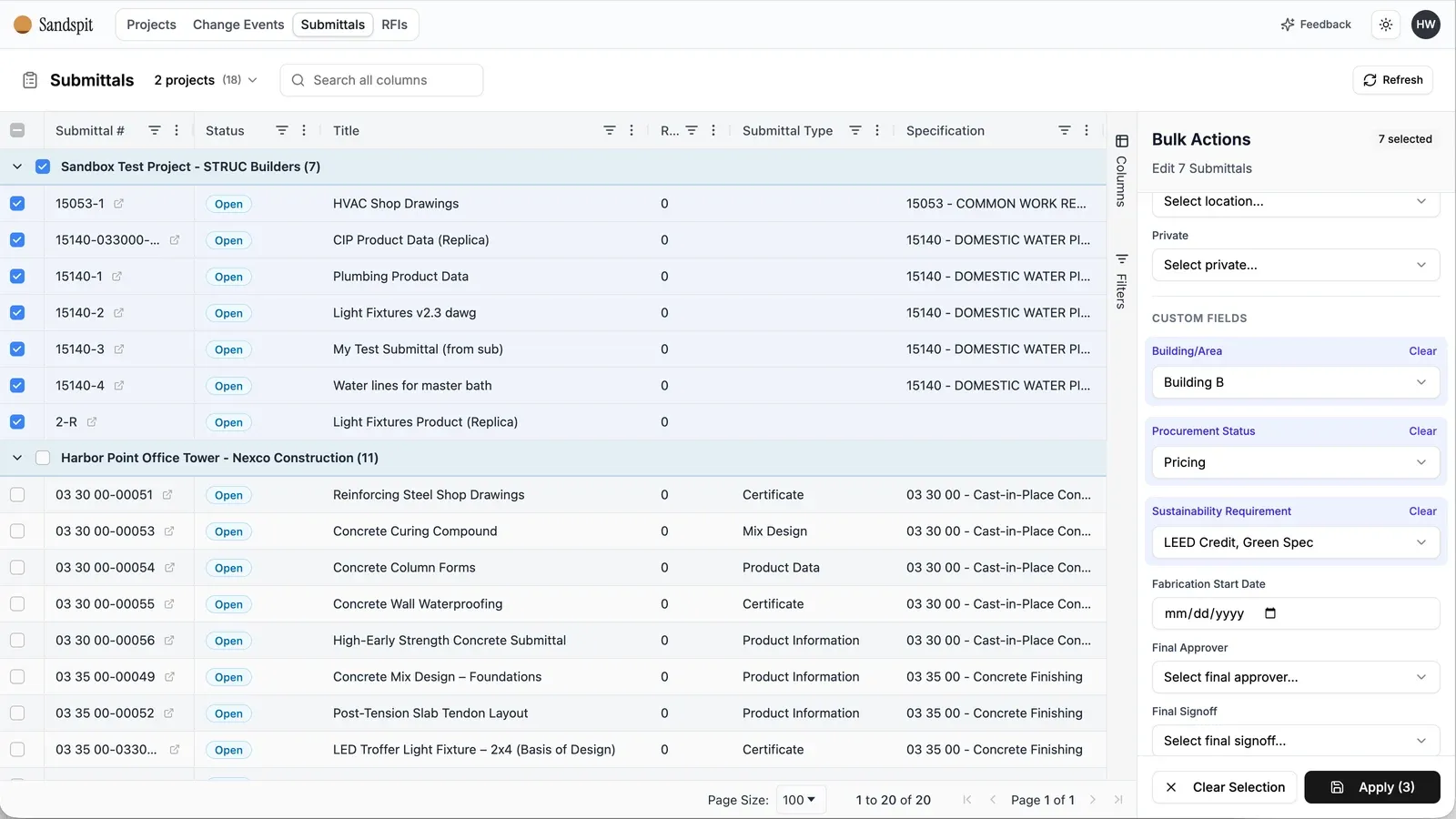
Bulk editing goes beyond status and due-date cleanup. Sandspit is built for the field-by-field updates PMs and PEs make across submittals and RFIs: custom fields, locations, dates, responsible contractors, managers, reviewers, statuses, and project-specific values.
- Select the records that need the same change
- Use field-specific controls for dropdowns, people, vendors, dates, and custom fields
- Apply the batch only after the selected rows and values look right
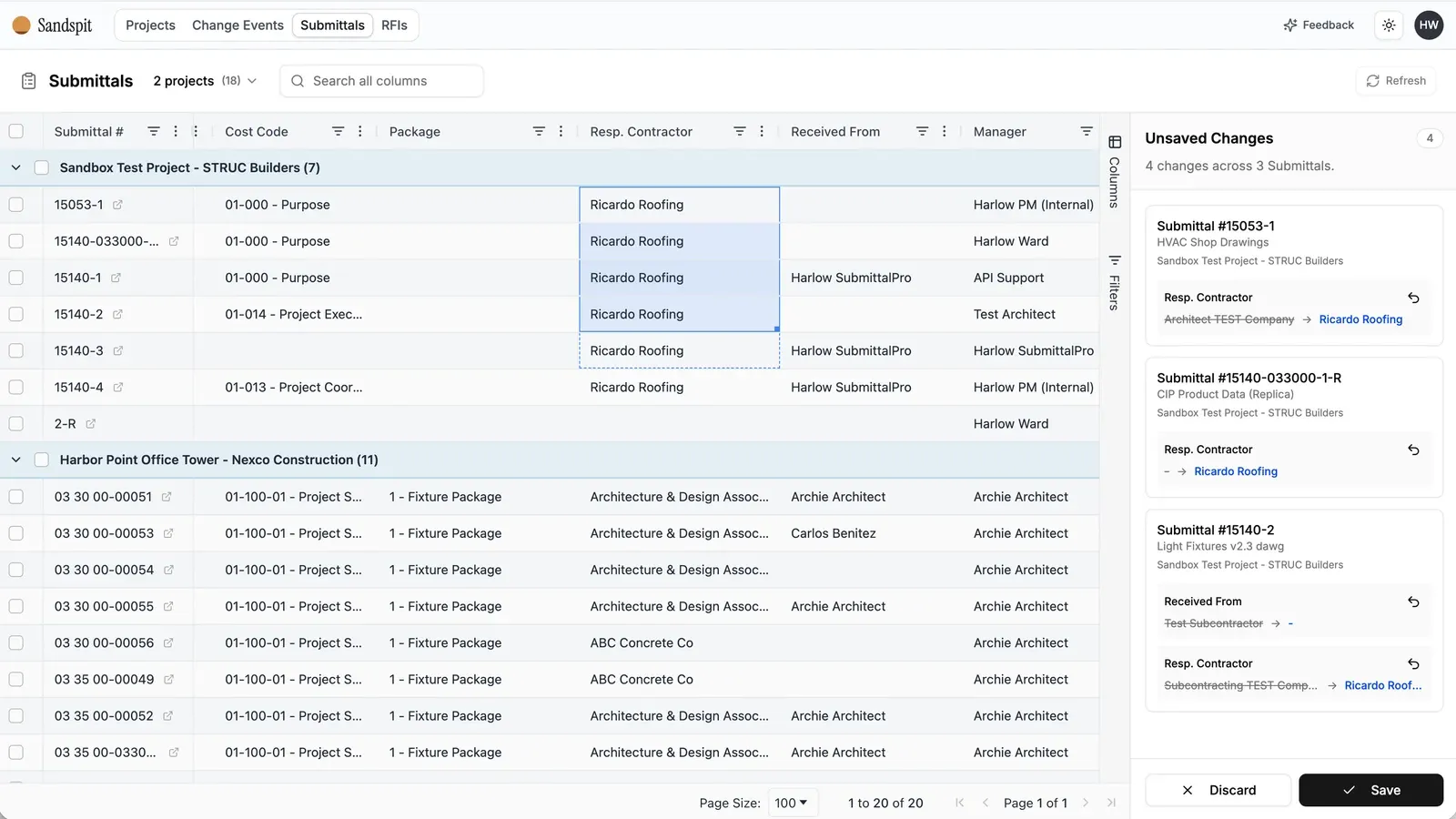
Use the fill handle, then review before saving.
Spreadsheet-speed editing needs a checkpoint. Sandspit lets teams drag values through the grid with a fill handle, collect the edits in a staging area, and inspect the exact records and fields that changed before anything is saved back to Procore.
- Copy values down across related records without repetitive clicking
- See unsaved changes grouped by record and field
- Discard, adjust, or save the staged changes as one reviewed update
Keep Procore clean without turning updates into one-record-at-a-time work.
Sandspit keeps Procore as the system of record while giving project teams a faster review layer for the fields they maintain every day.