Turn vendor T&M invoices into clean change events.
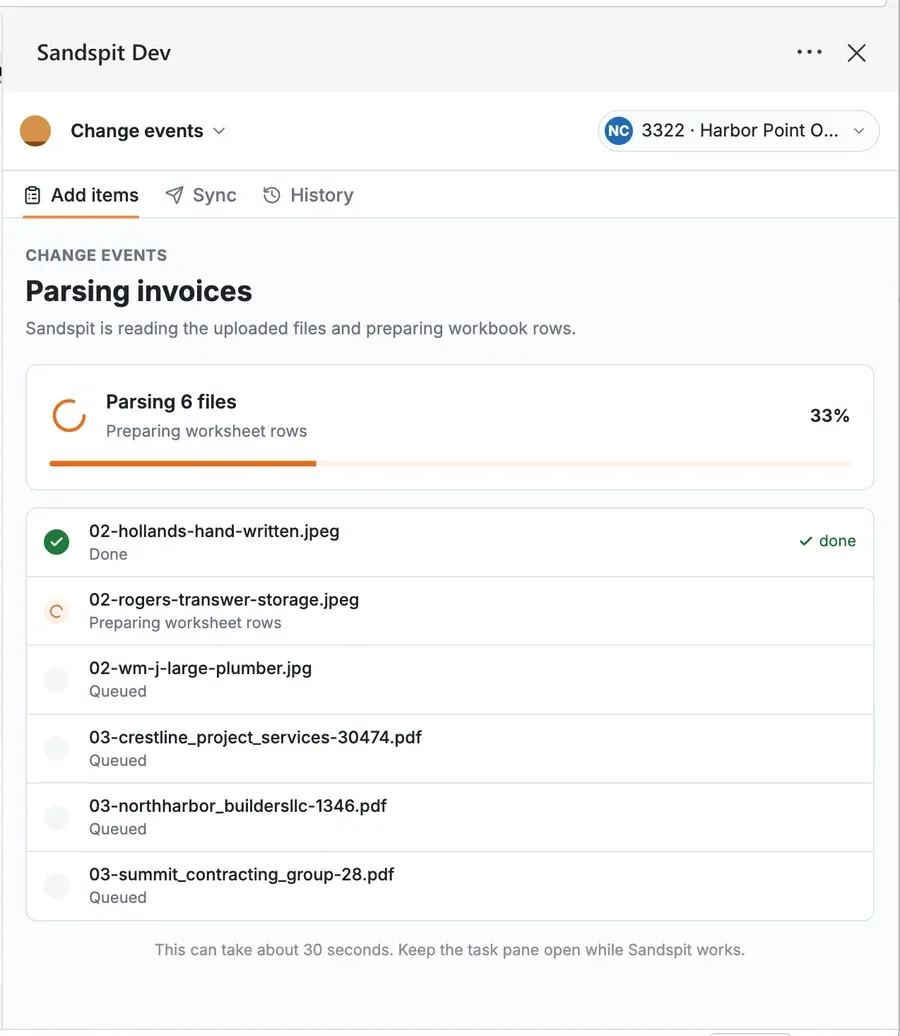
Sandspit extracts line items, amounts, descriptions, vendors, cost codes, and cost types from vendor PDFs, T&M tickets, images, CSVs, Excel files, and source documents. PMs and PEs review the staged rows, fix issues, and sync only after the change event is ready.
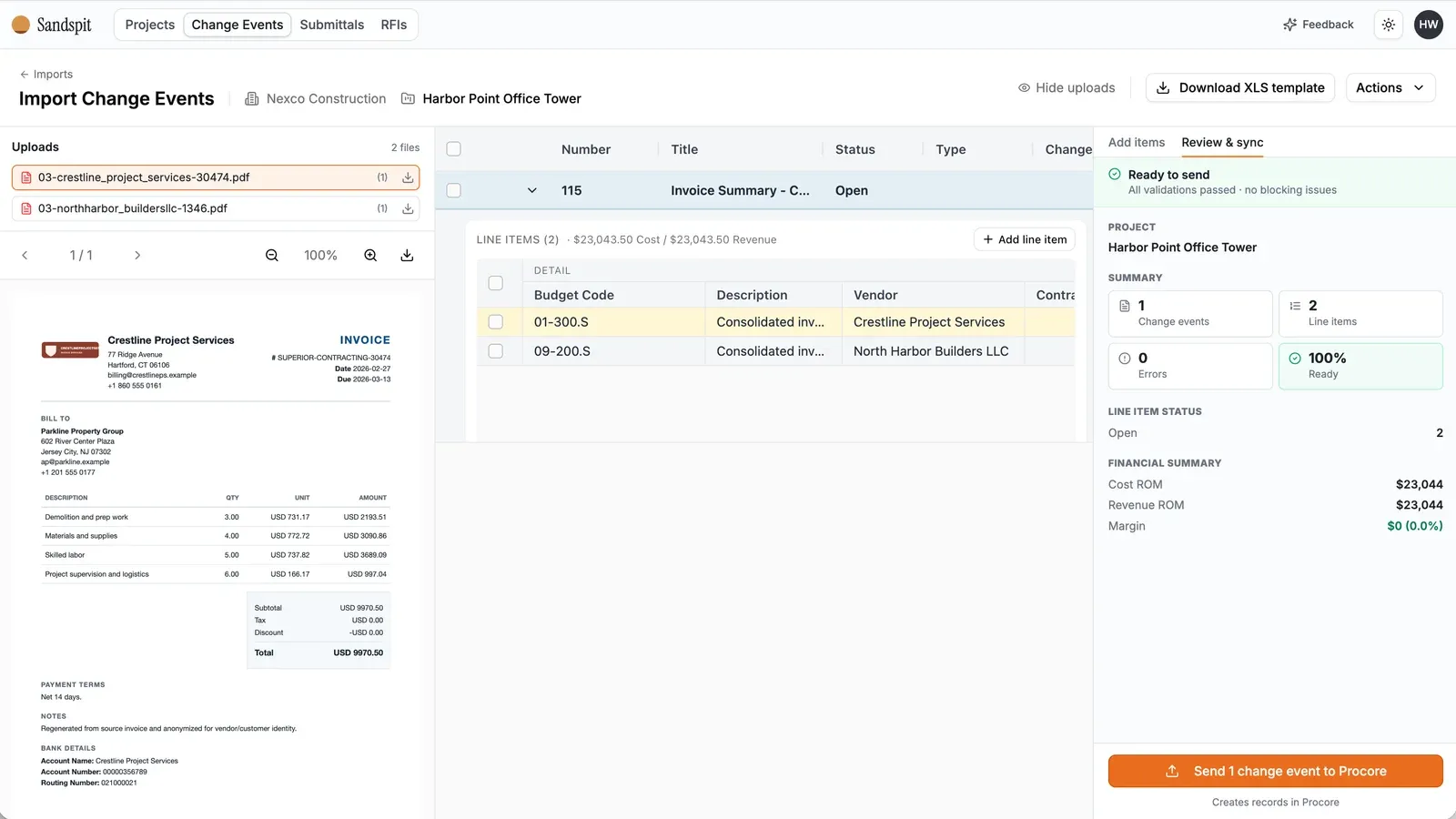
Extract structured rows from vendor PDFs, T&M tickets, images, CSVs, and Excel files
Validate vendors, contracts, change reasons, cost codes, and budget codes
Review sync results and fix errors before the next batch goes to Procore
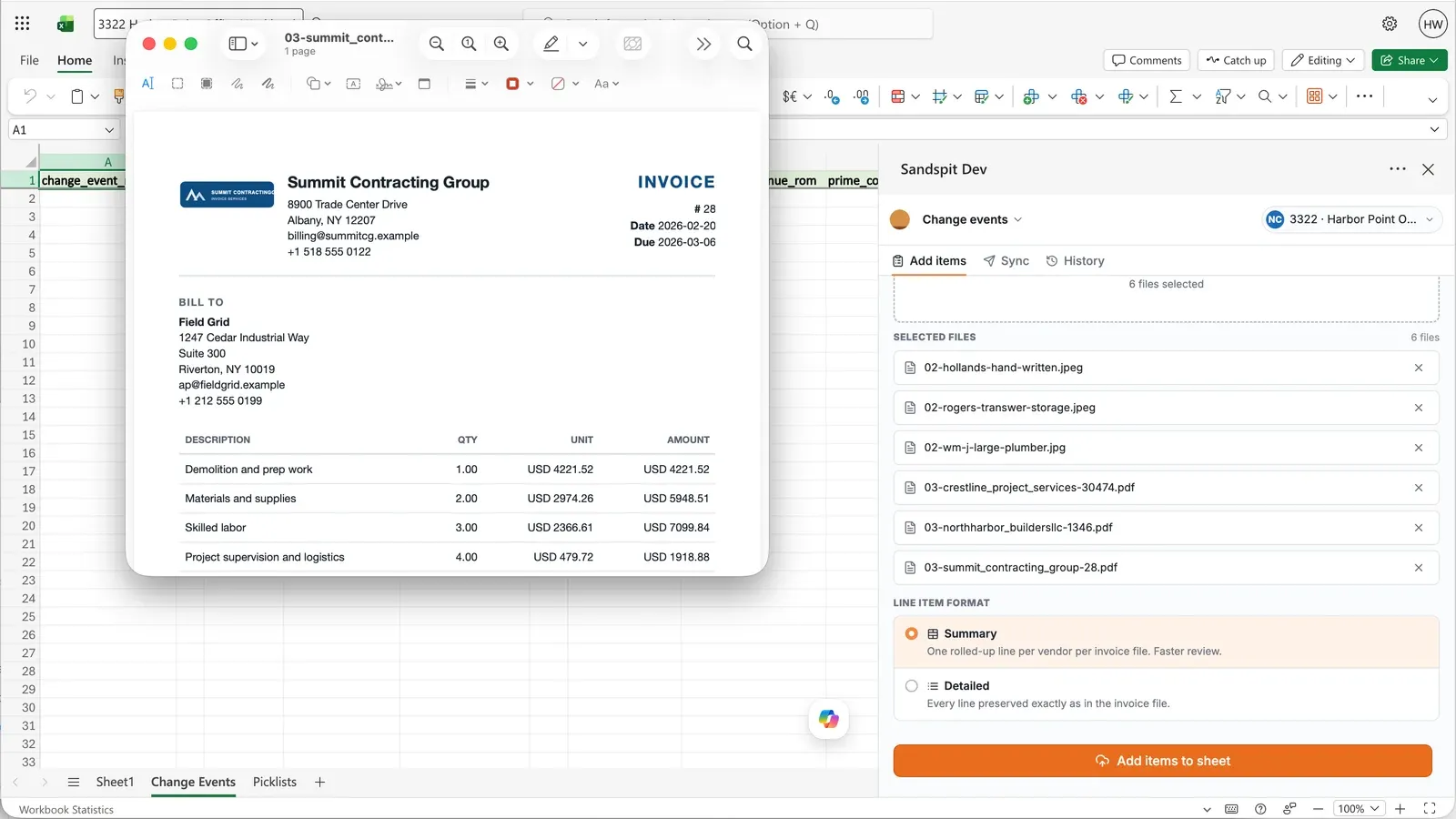
Start with the files vendors actually send you.
Start from vendor PDFs, T&M tickets, images, CSVs, and spreadsheet files. Sandspit helps convert those inputs into structured change-event rows so the project team starts from a reviewable draft instead of a blank form.
- Parse vendor PDFs, T&M tickets, images, CSVs, and Excel files into line items
- Keep the source document visible while reviewing extracted data
- Route every extracted row through validation before sync
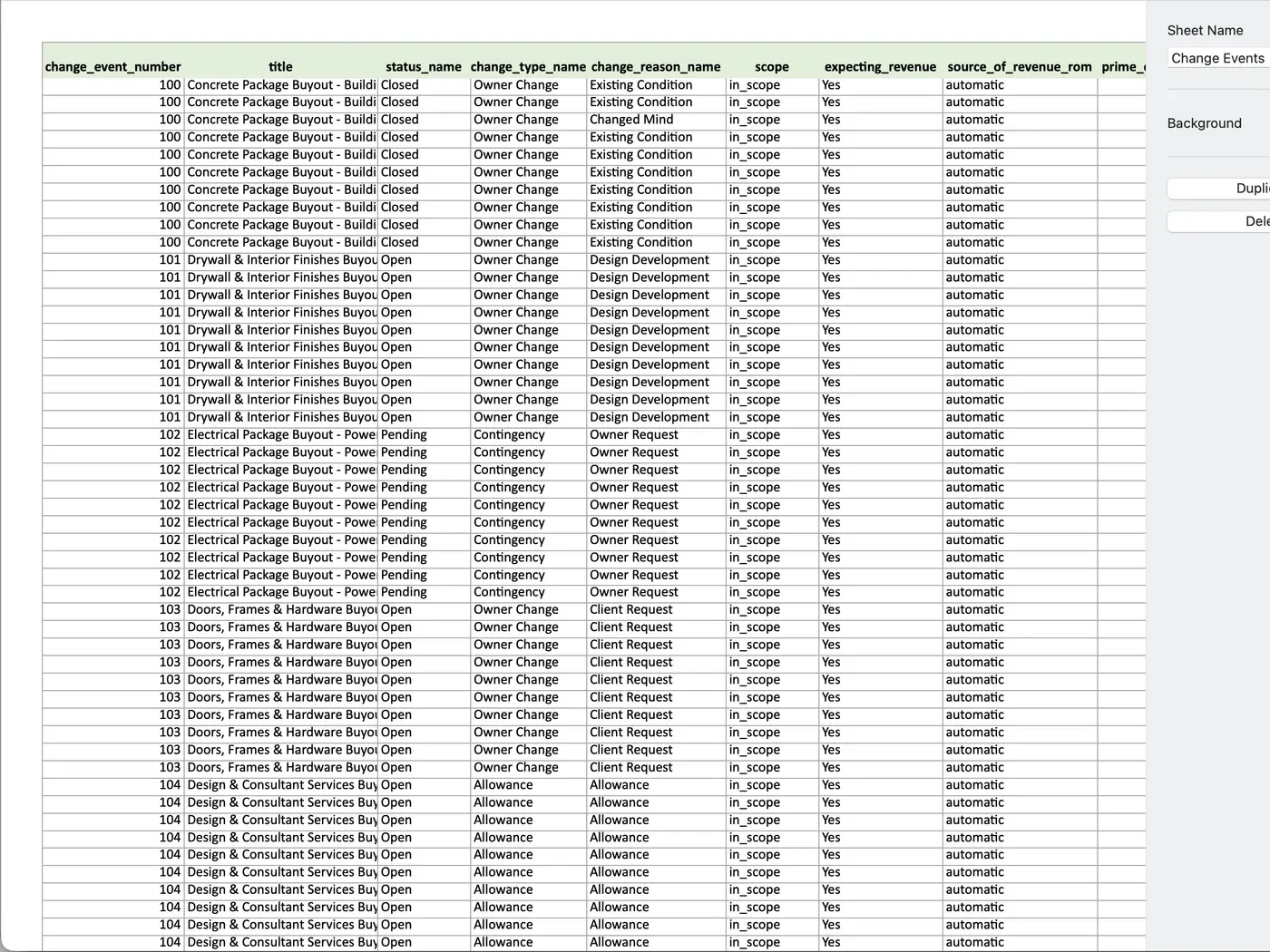
Prepare buyout sheets and T&M logs before creating Procore change events.
Buyout sheets, T&M logs, vendor templates, and internal cost spreadsheets can move through Sandspit without becoming a separate process. Teams can work from Excel, validate the rows, and sync change-event data when it is ready.
Review every line item before it syncs.
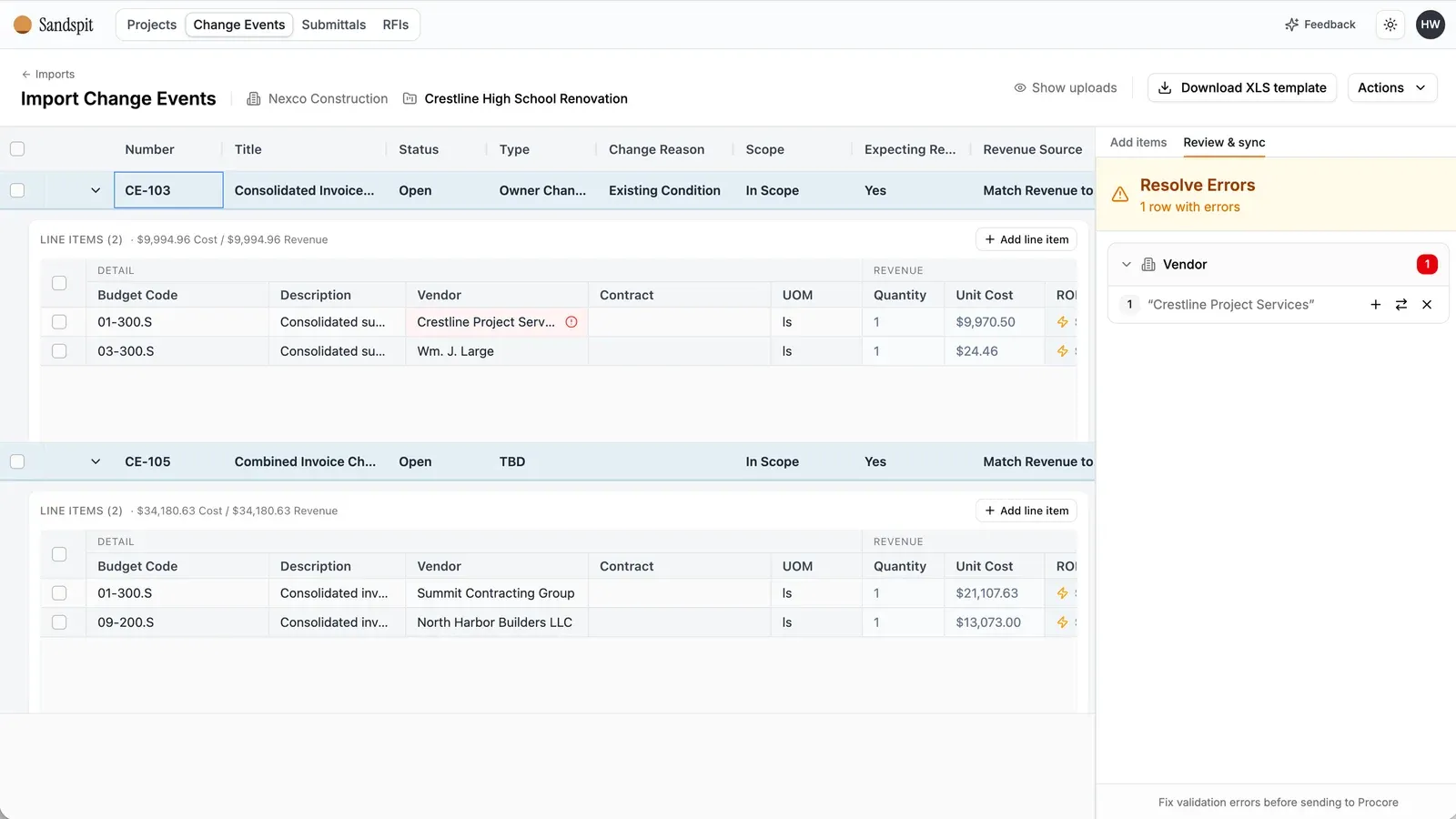
Imported change events land in a grid where rows can be checked and corrected before becoming Procore records. Sandspit highlights missing vendors, invalid budget codes, dropdown mismatches, and rows that need PM judgment.
- Separate ready rows from rows that need attention
- Use guided fixes for invalid fields and missing setup
- Keep Procore as the source of truth after review
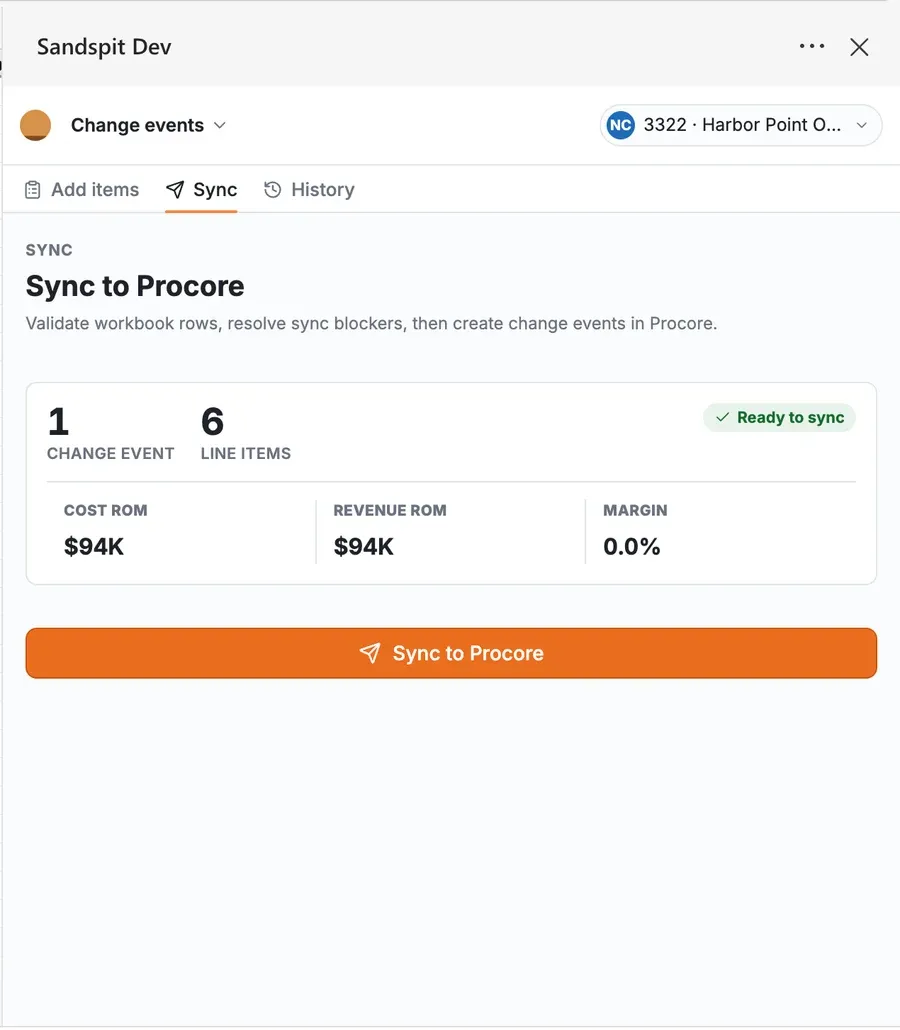
Sync reviewed rows from the tool teams already use.
The Sandspit Excel add-in supports the PM and PE workflow that already happens in spreadsheets. Teams can select a project, use workbook templates, validate rows, and sync without leaving Excel.