 Sandspit
Standalone App
Project Selection
Once Sandspit is installed, pick the projects you want to work with. Sandspit shows every Procore project you have access to.
Import your projects
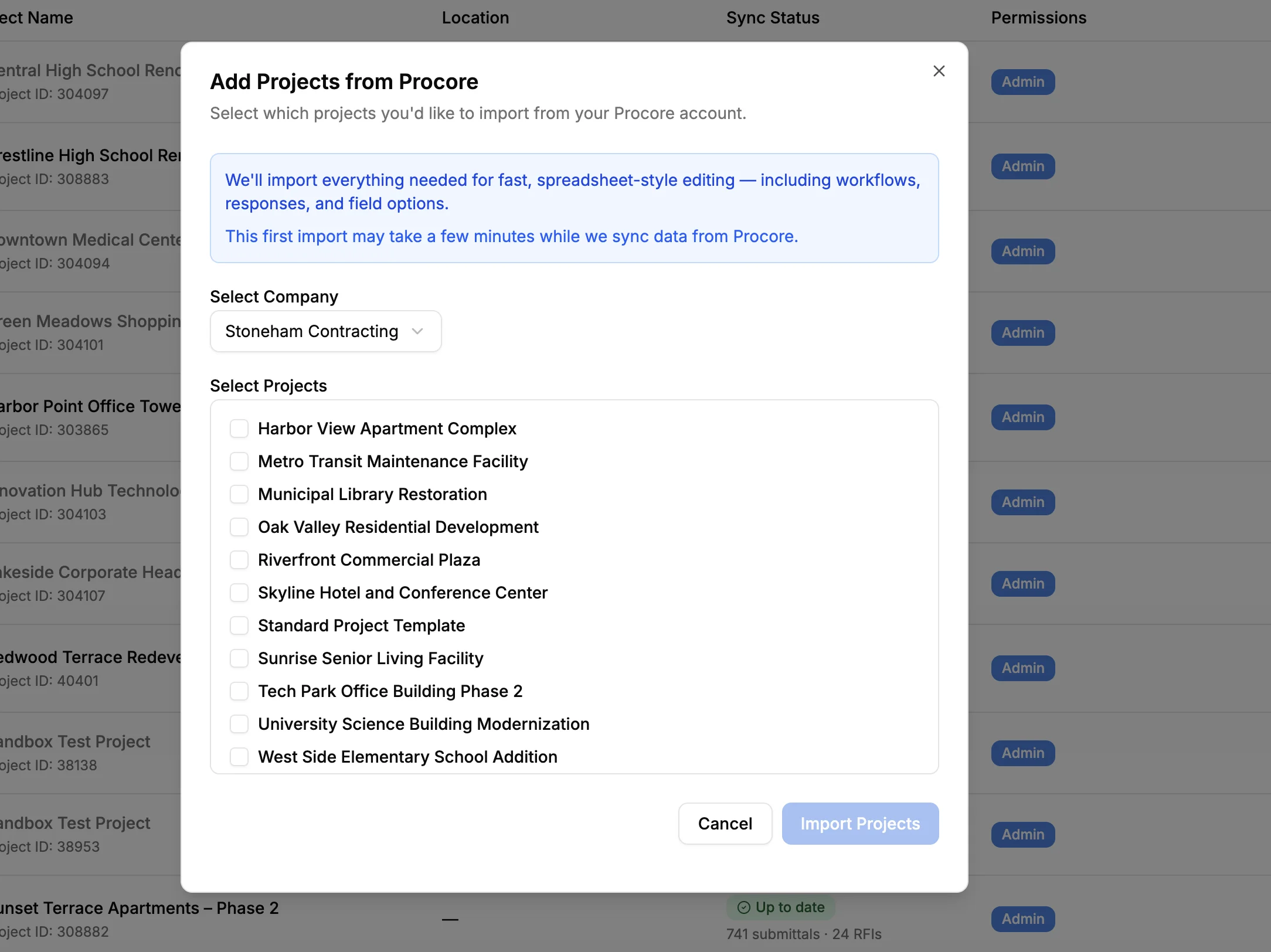
- Browse the list of available projects
- Click on a project to select it for import
- Wait for the initial sync to complete (usually 1-2 minutes)
Tip
Start small
We recommend starting with 2-3 projects to familiarize yourself with the interface. You can always add more projects later.
Once imported, Sandspit keeps project data synced with Procore. Sync timing and manual refresh options depend on the workflow and project settings.
Add more projects later
To add more projects to your view at any time:
- Go to Settings → Projects
- Browse your available Procore projects
- Click Import on the projects you want to add
- Wait for the initial sync to complete
Note
Have questions? Reach out to our support team at support@getsandspit.com.